
More Opportunities to Earn Free IMVU Credits

Want more opportunities to easily earn IMVU credits? You asked for them, we heard you, and we are excited to introduce a high quality, completely optional video clips feature for earning free IMVU credits. Get free promotional credits by just watching short, interesting video clips! The videos are available to all IMVU users here. You can find this option under the Free Credits tab on our website.

Content changes frequently, but today there are short clips on fashion, gossip, wrestling, and video games. By watching to the end of each of these short clips [most are 2 to 3 minutes long] you will be rewarded with 20 promotional credits!

Be sure to add a bookmark if you want to keep up on the latest from Beyoncé, Xbox games, and street fashion!

Happy New Year!

The IMVU Team

  • 0 Comments

Celebrate “12 Days of IMVU”!

We are excited about the upcoming holiday season and wanted to share the joy and merriment with all our members. Starting today, December 14th, we are launching a special promotion called “12 Days of IMVU”!

How do you participate? It’s pretty simple and FREE…

  • Log into IMVU 3D chat at least once every day starting December 14th.
  • In the spirit of sharing the holiday cheer,send a unique and exclusive gift to any one of your IMVU friends. There will be a different gift to give every day of the month and only way to get that same gift for yourself is if one of your friends chooses to send you that gift!
  • To celebrate your generosity, get a different free gift for yourself from IMVU made exclusively for the celebration by one of IMVU’s awesome Creators. Remember, you get your own special gift only AFTER sending the daily gift to one of your friends.
  • Make sure you log in everyday and send your gift, and of course receive your own. If you miss it, you can’t get it again!

There is also a special super bonus prize if you log in on all 12 days of December and send and collect all the free gifts! Collect all 12, and receive another extra-special gift when you log in on December 26th.

Get ready to celebrate the 12 Days of IMVU with us!

Cheers,

Varsha B

Sr. Community Manager

  • 0 Comments

Exciting New Content on Facebook!

The IMVU Facebook Page is now the place to go for exclusive content! Check out the brand new “IMVU Zone” tab for contests, videos, and more. Every week there will be new stuff to do and chances to win FREE IMVU credits.

Become the IMVU Fan of the Week

Each week a different person will win 5,000 credits and a feature on the IMVU Facebook page.  We’ll display a photo and fun info about every winner. Enter to gain instant IMVU fame.

A new Fan of the Week will be announced every Friday afternoon. If you’re looking to make a ton of cool IMVU friends, nominate yourself today!

Watch the Latest IMVU Viral Videos

Cat videos may be cute, but nothing beats the latest videos coming from IMVU.  Catch IMVU in action with new videos now on Facebook. We’ll be constantly creating fun and hilarious clips capturing the best IMVU moments.

Check out our videos and leave a comment telling us what you’d like to see next.  Maybe a Glee parody? Or Kim Kardashian as an Avatar?

Check Out Staff Favorites

Want to know what IMVU employees think are the hottest products in the catalog? Get Staff recommendations every week exclusively on the IMVU Facebook page. Find new and stylish furniture, clothing, and accessories. With fashion tips from the IMVU Staff, you’ll be the most stylish person around.

We’re excited to provide a fun Facebook page where you can meet other fans and get exclusive content. Check out IMVU on Facebook today!

Happy Holidays!

The IMVU Team

  • 0 Comments

Get into the Holiday Spirit with IMVU!

Feel the chill in the air…you long for some hot chocolate and a cozy, warm fire! Everywhere you look, the atmosphere is festive and ablaze with lights, color, and merriment! Yes, the holidays have arrived and IMVU is here to make sure it’s the best winter celebration ever for our community.

We have fun, contests, gifts, and activities planned for everyone to celebrate this joyous holiday season and ring in the New Year.

Create a Holiday Themed Virtual Product

Our awesome Creators will kick off the holiday season by creating one of three great products for our IMVU Holiday Product Contest: a decked-out holiday yard, a tasty gingerbread house, or a mischievous elf outfit. Check out our contest rules in our forum post here. Now for the best part – the entire IMVU community gets to enjoy the winning products and celebrate the success of all those creators! The products that snatch the top spot will be given to all users for free.

Post a Photo of your Creatively Decorated Room

Who doesn’t love to decorate their home for the holidays? Decorate your IMVU rooms to the hilt and make it a cozy or crazy welcoming place for your friends and family to visit. Then take a picture – a high resolution one, thanks to our latest photo tools – and post it to this community forum for all to envy and enjoy. We are, of course, making this into a fun contest to keep your competitive spirits challenged! There are credit prizes to win for the best entries – but most importantly, the honor to brag about your decorating style.

Give and Receive Gifts

It’s the season to be jolly, and we want to help you help you spread the joy. Stay tuned for a special celebration of The “12 Days of IMVU”. Log into your IMVU 3D Chat everyday and give a gift to one of your lucky friends. Your giving spirit will be rewarded back with a special gift for you! Watch out for future announcements with more details.

Winter themed bundles

Want to get a well-decorated room plus credits to jazz up your avatar? Just keep an eye on our daily specials of various winter and holiday themed bundles throughout the month. The complete selection of all our popular bundles can be found here.

Sit back, relax, and await the awesome surprises coming your way!

Happy Holidays!

The IMVU Team

  • 0 Comments

New and Improved Photos Feature in IMVU’s 3D Chat

IMVU users love to capture the wonderful outfits, scenes and fun moments they enjoy in IMVU. The rich 3D world experience combined with our camera tools make it possible for them to keep the treasured memories alive through their photos.
As of now, the pictures our customers took or uploaded to their photo galleries were only available through our website. With the latest version of IMVU’s chat – 467.0, we now bring photo galleries into IMVU’s 3D experience as well. [url=http://www.imvu.com/signup/download/]Download[/url] the latest version today and check out our new Photos mode! We are sure you are going to love this new and easy way to store, organize and share your wonderful photos.
[img]http://static-akm.imvu.com/imvufiles/imvublog/photos1.jpg[/img]
The new and improved photos experience is also available to our community on the website on their profile pages. Simply go to www.imvu.com/photos to access the photos feature. You can also access your photos in your account on the website by clicking on the “See my albums” link on your avatar card.
[img]http://static-akm.imvu.com/imvufiles/imvublog/photos2.jpg[/img]
The photos experience works the same on the website and in the 3D chat.
[i][b]Please note that in the next few weeks, we will be removing the My Galleries panel from the profile pages on the website. The photos feature on the website will be solely available at www.imvu.com/photos .[/b][/i]
[size=18][b]Keep your photos organized[/b][/size]
Click on the Photos feature mode and start organizing, uploading and sharing your pictures. [b]All the pictures currently in your web galleries are available in corresponding albums and their sharing level is automatically set to being Private i.e. visible only to you. [/b]
As an existing IMVU user you can create and use an unlimited number of albums. Going forward, new accounts will have 10 albums to use while members of our exclusive [url=http://www.imvu.com/vip_club/]VIP club[/url] will continue to enjoy an unlimited number of albums.
Create a new album(s), move your photos around or upload new ones. Any new photos you take using our camera tools will automatically be saved into your default album for you to sort later. Photos can be moved from one album to another by simple “drag and drop”.
[img]http://static-akm.imvu.com/imvufiles/imvublog/photos3.jpg[/img]
To help organize and display your photos to suit your needs, you can customize titles and descriptions for your photos and albums, choose which photo becomes your album cover, and delete individual pictures or albums. Please note that the default album located in the first slot cannot be deleted.
Want to upload your own pictures to your IMVU albums? No problem – simply use the “Upload Photo” link to add any jpg, png or gif images that are no more 1024 x 1024 pixels and 3 MB in size.
[img]http://static-akm.imvu.com/imvufiles/imvublog/photos4.jpg[/img]
[size=18][b]Share your photos[/b][/size]
You can choose to share your photo albums with your IMVU friends or everyone in IMVU so they can view them.
[img]http://static-akm.imvu.com/imvufiles/imvublog/photos5.jpg[/img]
[i][b]Any shared pictures must be General Audience (GA) appropriate as per our [url=http://www.imvu.com/catalog/web_info.php?section=Info&topic=mature_content_policy]policies[/url] [/b]
[/i]
The default album located in the first spot where all pictures taken using our camera tool are saved is always set to private i.e. allowed to be viewed only by you.
For IMVU users who have chosen to share any of their photo albums with others, their profile cards will show a link “see my albums”. You can click on this link to view any photos that the user has chosen to allow you to view.
[img]http://static-akm.imvu.com/imvufiles/imvublog/photos6.jpg[/img]
[size=18][b]Enjoy high-resolution photos[/b][/size]
What is the best feature that we have added to your photos experience? You can now save and enjoy high-resolution photos. We have updated our camera tools and the new photos mode so that you can capture, save and upload high-resolution images in order to enjoy them in their full glory. Your older photos will still be at their original lower resolution; however, your new pictures will be at high resolution.
[size=18][b]Safety rules[/b][/size]
All photos shared with other IMVU users (including your friends) must be General Audience appropriate as per our [url=http://www.imvu.com/catalog/web_info.php?section=Info&topic=mature_content_policy]policies.[/url]
We now make it easy for our community to report inappropriate photos – right from within the Photos feature experience. If you happen to view a picture that does not meet our GA guidelines, then you can report it for our review by clicking on the flag icon displayed on each shared photo. While viewing someone else’s album, you also have the option to report the entire album for review by our customer support team.
We are excited to add this easy way for our customers to view, organize and share their photographic expressions and hope you are too!

IMVU users love to capture the wonderful outfits, scenes and fun moments they enjoy in IMVU. The rich 3D world experience combined with our camera tools make it possible for them to keep the treasured memories alive through their photos.

As of now, the pictures our customers took or uploaded to their photo galleries were only available through our website. With the latest version of IMVU’s chat – 467.0, we now bring photo galleries into IMVU’s 3D experience as well. Download the latest version today and check out our new Photos mode! We are sure you are going to love this new and easy way to store, organize and share your wonderful photos.

The new and improved photos experience is also available to our community on the website on their profile pages. Simply go to www.imvu.com/photos to access the photos feature. The “See my albums” link on users’ avatar cards can also be used for quick access to all the albums.

The photos experience works quite the same on the website and in the 3D chat.

Stay Organized

Click on the Photos feature mode and start organizing, uploading and sharing your pictures. All the pictures currently in your web galleries are available in corresponding albums and their sharing level is automatically set to being Private i.e. visible only to you.

As an existing IMVU user you can create and use an unlimited number of albums. Going forward, new accounts will have 10 albums to use while members of our exclusive VIP club will continue to enjoy an unlimited number of albums.

Create a new album(s), move your photos around or upload new ones. Any new photos you take using our camera tools will automatically be saved into your default album for you to sort later. Photos can be moved from one album to another by simple “drag and drop”.

To help organize and display your photos to suit your needs, you can customize titles and descriptions for your photos and albums, choose which photo becomes your album cover, and delete individual pictures or albums. Please note that the default album located in the first slot cannot be deleted.

Want to upload your own pictures to your IMVU albums? No problem – simply use the “Upload Photo” link to add any jpg, png or gif images that are no more 1024 x 1024 pixels and 3 MB in size.

Share your Creations

You can choose to share your photo albums with your IMVU friends or everyone in IMVU so they can view them.

Any shared pictures must be General Audience (GA) appropriate as per our policies.

The default album located in the first spot where all pictures taken using our camera tool are saved is always set to private i.e. allowed to be viewed only by you.

For IMVU users who have chosen to share any of their photo albums with others, their profile/avatar cards will show a “see my albums” link. You can click on this link to view any photos that the user has chosen to allow you to view.

Enjoy High-Resolution Photos

What is the best feature that we have added to your photos experience? You can now save and enjoy high-resolution photos. We have updated our camera tools and the new photos mode so that you can capture, save and upload high-resolution images in order to enjoy them in their full glory. Your older photos will still be at their original lower resolution; however, your new pictures will be at high resolution.

Safety Rules

All photos shared with other IMVU users (including your friends) must be General Audience appropriate as per our policies.

We now make it easy for our community to report inappropriate photos – right from within the Photos feature experience. If you happen to view a picture that does not meet our GA guidelines, then you can report it for our review by clicking on the flag icon displayed on each shared photo. While viewing someone else’s album, you also have the option to report the entire album for review by our customer support team.

We are excited to add this easy way for our customers to view, organize and share their photographic expressions and hope you are too!

Cheers!

Varsha B

  • 0 Comments

Transport between IMVU’s Chat Rooms using Portals!

Hanging out in chat rooms with their friends is one of the most popular activities our customers enjoy in IMVU. The room owners decorate their rooms to show off their creativity and the diversity of furniture and scene items available in our virtual catalog. So what can make this experience even more exciting? What if you could quickly and easily link multiple rooms together and folks could travel between them through “portals” or doors? Well, that is exactly what we have added to the latest version of our 3D chat experience. Download IMVU’s 3D chat version 466.0 today and check out the beta version of the Portal feature.

We are excited to beta test the Portals feature with our community and get feedback. Add portals to your rooms and see how you can coolly transport yourself from one room to another.  Do note that this is a beta version and during the next 30 days we are offering it to all our users for free. After the trial period, there will be fees associated with adding portals to your rooms and scenes. Any portals you add to your rooms in the 30-day period are yours to keep.

How do portals work?

Portals are easy to use and can be added to any of the furniture items in your room through the room decorating tools menu. The new portal tool is located in the furniture tools set. Simply click on the tool and then hover over the furniture item you want to turn into a portal. The portal node will be distinct and placed at the base node of the furniture item.

Select the destination for that door using the menu options. You can choose any public room from the list of your favorite rooms, rooms you already own, or rooms you have recently visited. Click “save” and you are done! You can now view the portal node on that furniture item along with the name of the room it links to.

Use portals to link a private room to a public room, or a public room to another public room. A public room can, however, not lead to a private room.

It’s also quite easy to delete the portal from a furniture item or change its destination. Simply click on the portal node and edit.

Creators have the option to establish where a portal will exist on the furniture items they are developing. They can add a bone to the skeleton which will be the attachment point for portals instead of the default root node.

So download the latest 3D version of IMVU now and start testing the Portals experience! We look forward to your comments, questions, and feedback as you try this beta version out.  We are enthused about the endless possibilities portals bring to the way our community plays and enjoys IMVU!

Cheers!

Varsha

  • 0 Comments

Buy IMVU Bundles Using your Mobile Phone

Making purchases using mobile phones is popular on IMVU, and no wonder! It is lightening fast, super simple, and does not require a credit card. However, until very recently, IMVU users have only been able to purchase Credits and VIP subscriptions, but not our popular weekly bundles. We’ve now changed that, enabling users in the US who have an agreement with Sprint, Verizon, or T-Mobile to buy whatever they wish from our credit store. We are especially delighted that T-Mobile and its over 33 million subscribers can now support IMVU’s Creator Community through buying the bundles created by our amazingly talented Creators!

Purchases made with your mobile phone are completely safe: a secret code is sent to your phone during the purchase process and this code is required to complete the purchase. Every transaction uses a different and unique code.  In addition, IMVU does not re-bill your phone automatically; it is a one-off purchase.

For further protection, some mobile phone carriers have implemented an additional safety step, requiring that you enter your billing zip code. This prevents use of your phone if it is lost or stolen. Remember – do not make a purchase unless you have the permission of the phone owner (if that person is not you). The purchase will appear on your next phone bill.

We hope our IMVU community continues to take advantage of the new ways of purchasing credits, VIP subscriptions, and now bundles!

Happy shopping!

Varsha B

  • 0 Comments

Halloween Product Contest Winners!

Halloween is just a couple of days away and the celebrations are in full swing for our IMVU community. Grand galas are being planned and held, special spook-tacular bundles perfect for the occasion are being created and sold and folks are busy putting together the best costumes for their avatars.

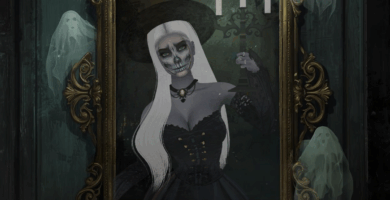
Amidst these festivities, we want to congratulate all the participants and winners of our recently held Halloween Product Contest.  Our amazing Creators once again showed off their unique abilities to develop the most awesome graveyard scenes and beautifully detailed masquerade masks.

Our meshers tested their mettle and submitted their version of a ghostly cemetery to host the best party for the zombies. Here are some scenes from the one that grabbed the top spot:

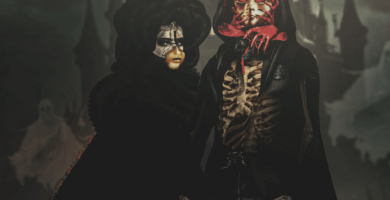
Creators also had a chance to re-texture the perfect mask to wear for that masquerade ball on the Halloween Eve. The following entries were our top 5 picks for the contest.

The first-prize winning scene and all top 5 masks have been given out for free to all our IMVU users. We hope you join us in applauding all the contestants as you celebrate their products and creativity.

Happy Halloween everyone!

Varsha B

Sr. Community Manager

  • 0 Comments

Halloween Celebrations on IMVU!

Halloween is around the corner and IMVU community is gearing up for celebrating it in a big way! Our 3D chat homepage has been decorated of course in imagery to reflect this spook-tacular occasion. We have loads of activities and surprises planned for all of you, and we hope you join in the festivities!

Shop for Halloween Themed Items:

Our Creators have been hard at work, and our virtual catalog is full of thousands of products to dress up your avatar in ghoulish and whimsical costumes and decorate your rooms for the perfect scary, ghastly, or just plain silly Halloween night party.

Vote for the Best Staff Halloween Costume:

Just like our community members, IMVU’s own team is busy dressing up their avatars in the best possible costume as well. Our yearly Facebook contest will let our staff members show off their costumes to our Facebook fans who will then vote for their most favorite.  Be sure to check out all our entries between October 26th and 28th to cast your vote!

Submit a Video for our Halloween Video Contest:

Decorate your room for the perfect Halloween party, invite your friends to join in with their awesome, unique costumes and capture the fun in a video. Make it creative, scary, funny, suspenseful – but most of all, make it a showcase for your enjoyment of IMVU. Upload the video to Youtube and then submit your entry for our contest by completing this form. Please visit our community forums here for further details.

Submit a Product for our Halloween Product Contest:

Love creating your own virtual products for IMVU’s catalog? Then we have some fun contests planned for you! For this contest, create a ghoulish, scary, funny, magical mask using one of our recommended meshes! Or create and submit a ghostly cemetery where you can host the best zombie party this side of the afterlife! Each winning product will be gifted to all IMVU users in time for Halloween. Please visit our community forums here for further details.

Grab a Bundle full of Halloween Mysteries and Credits:

We are celebrating the entire month of October with spooky, scary, and mysterious bundles created by some of our best Creators. Browse through all the selections available in our Bundle Vault to find the one that you like the best. Be sure to keep an eye on our bundle promotions as well to get the best possible deal on these fun collections.

We are planning something special for October 31st as well, so stay tuned for more details! Put on your witch’s or wizard’s hat and get ready to have the best Halloween ever with your IMVU friends!

Happy Halloween!

Varsha

  • 0 Comments

Got a Favorite IMVU Chat Room? Rate it!

IMVU’s diverse selection of chat rooms showcases the creative expression of our millions of users. Folks love to hang out in these rooms, chat with old friends or make new ones, dance to the hottest tunes, play games, or simply relax. The room creators love to show off their unique decorating styles and look forward to the visitors who drop by.

Of course, everyone has their favorite rooms that they love. Now, IMVU users can express their opinions about the rooms they visit by rating them! The rating feature is available in IMVU’s 3D Chat version 465.0 and up. Download the latest version today and see which rooms are earning a 5-star rating.

How does the room rating feature work?

Enter any public chat room and click the “star” icon in the upper left corner of your screen. Click it to open the room rating tool and rate it from one to five stars (poor to outstanding).

Visitors can rate any room just once; however, they can always go back and change their previous rating.

Overall room ratings will be calculated based on a certain number of most recent votes and displayed in search results, on the room information card as well as in the rating tool.

***Please note that rooms are starting to get rated beginning with the 3D chat version 465.0, and their overall rating will be displayed after the minimum number visitors have rated them.

Visitor count for chat rooms

We know all the creators of these awesome chat rooms love to know how popular their rooms are, and the room rating feature will tell them exactly that. In addition, room owners can now see how many visitors have dropped by their rooms. They will see this information in the room management mode and it will only be visible to room owners.

We hope these changes make the chat rooms on IMVU even more fun and exciting for room owners as well as all their visitors.

Cheers!

Varsha B

  • 0 Comments